Nice try dear AI. Now let's talk about production.
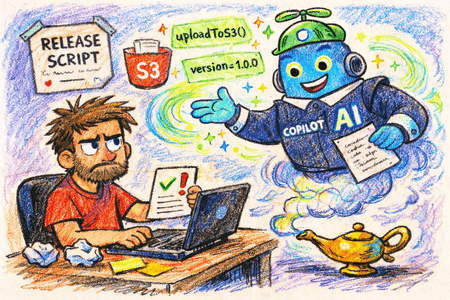
Just recently I wanted to write a script that uploads a directory to S3. I decided to use Copilot. I have been using it for a while. This article is an attempt to prove two things: (a) that AI can't (still) replace me as a senior software engineer and (b) that it still makes sense to learn programming and focus on the fundamentals. Let's dig in.
I strongly recommend "Yes, Learning to Code Is Still Valuable" by Matteo Collina. It illustrates well my second point about the importance of learning programming fundamentals.
Here's the initial prompt I gave to Copilot. Bare in mind that my goal was to explore agent-driven development. Meaining that I intentionally didn't gave absolutely detailed instructions, to see how well the AI could handle the task on its own. I understand that most probably our job in the near future will be to write spotless specifications as a starting point of for the agents. And that I have to put my efforts there but for this specific task I wanted to see how Copilot will do it as I'm not that experienced developer and so I'm giving a bit vague instructions.
You see the [...] folder? I want from you to create a folder called "script" and write a script in there that will upload files to AWS. The script will be used from this package as a dependency. Meaning that I'll probably do "node path-to-package/scripts/release.js". Make sure that the script is asking for a new version and updates the package.json file in the root folder of the project. Also make sure that the script asks the developer for a CHANGELOG entry and update the CHANGELOG file in the project.
At each step I'll make a mark of the underlying knowledge that I apply to evaluate the output and guide the next steps. I hope that this will be useful for you to understand that AI is not a magic wand that can replace software engineers, but rather a tool. If all this seems obvious to you, then great. But you should know that there are many people out there that don't have a clue about those details and they will probably go straight with what AI generates.
So, after that first prompt, Copilot indeed created a script folder with release.js file in it. The script is indeed asking for a new version and changelog entry. It's also (probably) successfully uploading files to AWS. I did not tested that part at this point. However, my AI buddy not quite understood "The script will be used from this package as a dependency." bit. It was using a variable called projectRoot pointing to the upper folder where the script exists. My usecase is a bit different. I want to run the script from the root of another project, which has package.json and CHANGELOG.md files. Also the script was using aws unix command to upload files to S3. I don't have that command installed and I don't want to install it. I want to use a npm package for that.
Seeing the above "problems" with the initial output, I had to give Copilot a bit more guidance. I moved forward with the following:
I think you didn't quite understand me. I see that the projectRoot is set to the parent directory. I want to be process.cwd(). Basically if I run that script from within another project to deal with the releasing there. Also I see that you are using a aws command. Can you come with a npm dependency or in general explain what aws command is.
The agenst started well but it warned me that it can't install @aws-sdk/client-s3 package. The feedback to me was:
npm install failed due an npm auth (E401) in your environment, so I’ll still wire the code to AWS SDK and add the dependency entry directly in package.json; you can run install after refreshing npm login. I’m patching both files now.
...
* I could not update lockfile because npm install failed with E401 (npm auth).
* After npm login, run npm install in [...] to sync package-lock.json.
npm login did not helped. npm install was still failing with the same error if I run it from the root of the project. I quickly realized that the problem is in the fact that I have a paid npm dependency and so I need .npmrc file with the auth token in it. Once I brought that up the command passed. I'm not sure how Copilot was supposed to see that. Maybe if I had asked to analyze all the depdendencies in package.json it would have found that out. For me tho it was a no brainer because I'm living in these projects for the last couple of months and that same problem happend to me already.
Anyways ... after that the script was in a good shape. The next thing that I noticed is that the question for the changelog entry is a bit too demanding. It asked for Added/Changed/Fixed/Removed changes. I don't want to be bothered with that. I just want to write a sentence describing the change and that's it. So I had to give it another feedback:
I see that you added changelog sections. I want to have just one sentence for each release. No need to have added, changed fixed etc
The script was updated accordingly. Tried the script. It worked. Now, the next thing in the list is to make it with even better DX. I want to have a config file where I can specify the AWS bucket and folder where the files will be uploaded. So far Copilot was keeping those settings in the script itself. Since those settings are more likely to change from one project to another, it makes sense to have them in a separate config file. AI did not suggested that by itself. Again, it may be because I didn't explain the whole context in the initial prompt. However, I feel again that somehow the models are biased towards more common patterns in the training data. If I (you) don't think it through and explicitly ask for a config file, the model will probably not suggest it by itself.
I want to simplify the things by requiring a release.json configuration in the root of the project. So, change the script to stop asking about bucket and stuff and read those AWS settings from that release.json file. Of course check if it exsits. Create a template for that file next to release.js file and if the file is missing print a message showing how it should look like.
Again the job was done. The script was updated to read the AWS settings from release.json file. A template for that file was created next to release.js file. If the file is missing, a message is printed showing how it should look like.
I run the script again. It "worked". I say "worked" because when I went to see what's in the bucket I saw a single .tgz file. Hm ... I expected the script again and saw why. The script was running npm pack command to create a tarball of the package and then upload that single file to S3. I wanted to upload a specific folder (for example dist) with all the files in it.
Another example how Copilot is making things up. It is true that I wasn't specific enough but I also said "that will upload files to AWS". I didn't say "that will package and upload files to AWS". I hope you remember what GPT means - generative pre-trained transformer. So, it's all patterns applied generatively based on current a snapshot of your codebase. Unless you are super verbose and specific in your prompt, you will get a result that is based on what people usually do in similar situations. And in similar situations, people usually upload a tarball of the package to S3. So that's what I got. Again, it's not a bad result. It's just not what I wanted.
wait wait ... I want to upload from a dist folder. So, in my package.json file I'm planning to do a script that does "npm run build && npm run release". The build will create a version of the app in the dist folder and I need that uploaded to the bucket. So, change the scrtipt to do that. Also put the "dist" folder as a config in release.json. Of course update the template.
Of course after that nudge the AI companion updated the script accordingly.
One other thing bugs me - what if the script fails in the middle of the upload? The package.json and CHANGELOG.md files will be updated but the files won't be uploaded to S3. To avoid that case I decided to ask for another change. Also I figured that I may need to see the version number of the latest release in the bucket by requesting version.json file. So I asked for that as well.
I don't want to update package.json or the changelog until the uploading is done. I also want from you to upload a file version.json in the root folder of the bucket which will contain a simple json with the version number and the date of the release.
Good progress so far. I started thinking how my colleagues will use this script. I want to make sure that it is easy so I asked for documenting everything.
Create release.md next to release.js explaining how the script could be used. Also explain what is expected in terms of configuration. Also Add a section about authorization in front of AWS. Be as short as possible.
A few days pass. The script is working well but I realized that we have different environments (dev, stage, prod) and I want to be able to deploy to different buckets/folders based on the environment.
I want to introduce the concept of environments. Basically to ask the user to which environment to deploy. Introduce a new level in the config file where I can specify the bucket and folder for each environment. Also update the documentation to explain that. If there is only one environment in the config file, then skip the question and deploy to that environment by default.
With that the script is finished (for now). I have a working release script that uploads files to S3, updates the package.json and CHANGELOG.md files, and creates a version.json file in the bucket. It also supports multiple environments and has a good documentation.
Final words
I know what you are thinking. In fact lots of people already said it to me:
Or you know, you could use your 25 years experience, spend an extra 5 minutes in plan phase, and not have a big contrived article about how AI got it wrong because you were vague.
Yes, I could have been more specific in my initial prompt. But that specificity will come from my background and from the fact that I did actually wrote similar scripts in the past. I'm writing this to show that without exercising AI is not good enough.
Here're are the things that I had to know and understand in order to guide the AI companion to create a working release script:
- What a CLI script is and how it works.
- What semantic versioning is and why it is important.
- The concept of a changelog and its importance in software development.
- How to scope a script to the point where the command is executed (
process.cwd()). - Background in unix commands and their usage.
- Knowing what
child_processis in Node.js. - Understanding how npm private packages work and how to authenticate using
.npmrcfile. - Recognizing the need of a config file and how to structure it.
- Based on intuition and experience with release scripts, recognizing that the order of operations in the script is not ideal and planning for future awareness by asking for a version.json file.
- Understanding the concept of environments and how it can be applied to the release process.
- Also in general, why we need different environments and how they improve the lifecycle of a feature development.
This was needed to achieve the final result. As you can see Copilot was a great companion, but it still required someone with the right knowledge to guide it. And to do that effectively, you need to have a good understanding of the problem domain and the tools you are using. So, while AI can be a powerful tool to assist software engineers, it cannot replace the need for proper judgement.
Did I finish my task quicker with the help of AI? Yes. But I also had to spend time reading the output, evaluating it, and guiding the next steps. So it's not like I just gave a prompt and got a perfect script in return. It was more of a collaboration between me and the AI, where I had to provide the right guidance.
And remember - that's just a script dear reader. Imagine what it would look like for a more complex task. The more complex the task, the more guidance and knowledge you need.
DO NOT skip the learning part. DO NOT skip the fundamentals. They are what will allow you to use AI effectively and to create better software. AI is a tool, not a replacement for software engineers. Tools like Copilot and Cloud Code are amplifiers. They multiply your level of output. If you don't know what you are doing you'll simply produce more bad code faster.
 With over two decades of deep programming expertise, I offer comprehensive web consultancy and stack audits, alongside specialized workshops, training, and engaging public speaking to elevate your team's skills and optimize your digital presence. Contact me.